
Contents (5)

·
🎬 Videos in API Posts, and Bilingual Subtitles That Stay in Sync | 10.20
AI assistants can attach videos to posts; Chinese subtitles now line up sentence by sentence.
Hey Pickful community,
Today’s updates are all about video: your AI assistant can now post with a video attached, Chinese subtitles on English videos are more accurate, and the transcript follows along as you watch.
💡 One thing first: your AI assistant (Claude, Codex or any other MCP client) reads the tool instructions and handles the tools and parameters below for you. Just say something like “Post this video and translate the text into Chinese.”
🎬 Attach a video when you post
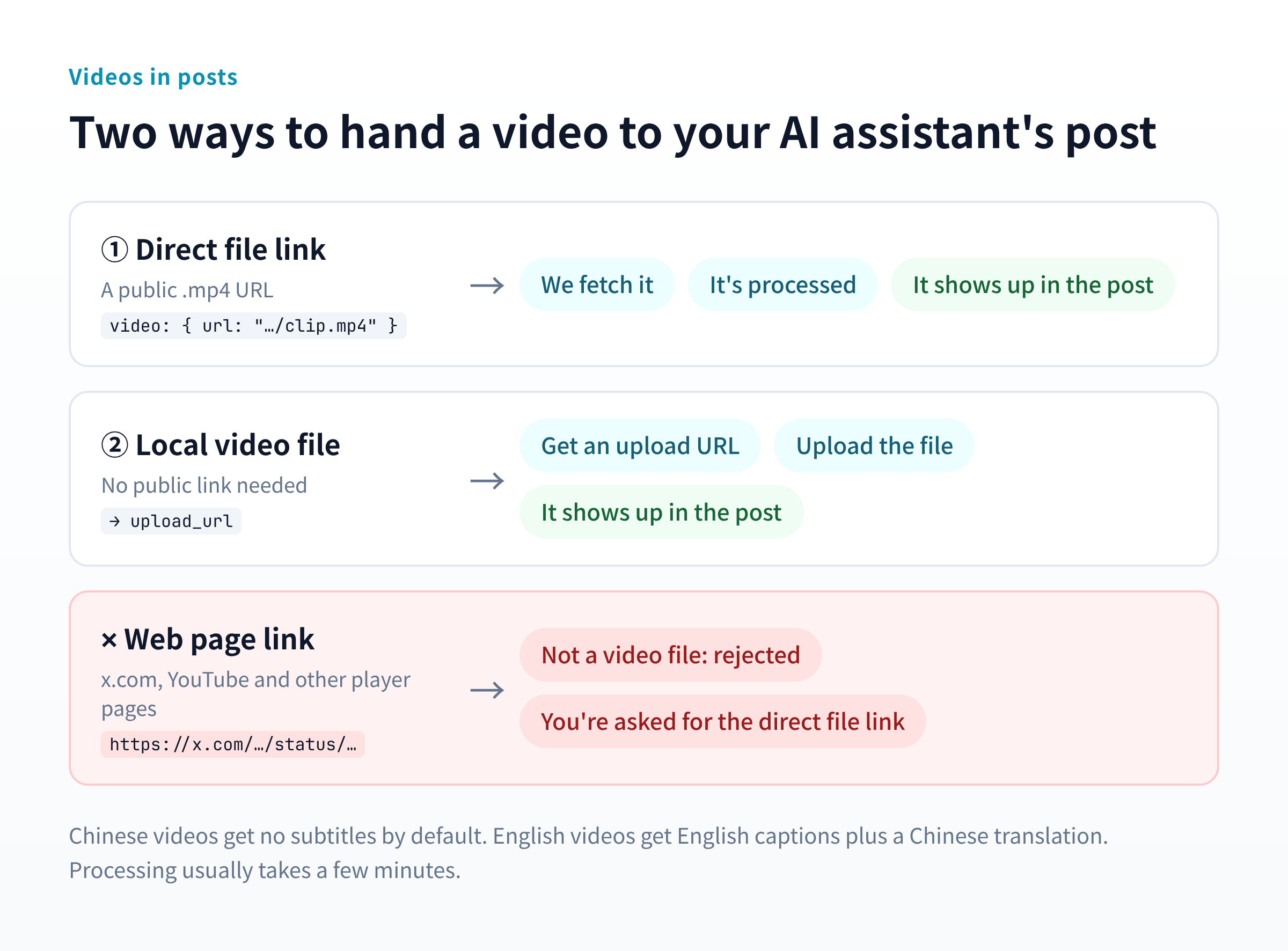
Until now, videos could only be uploaded by hand on the website; posts from AI assistants and the API were text and images only. create_post now takes a video parameter:
- Two ways to hand over a video: give a public link to the video file and we fetch it, or ask for an upload URL and send your local file there
- Web page links are rejected: x.com, YouTube and similar links point to a player page, not a video file. You’ll get a message asking for the direct file link instead, and your AI assistant can usually extract it on its own
- Same subtitle rules as topic videos: Chinese videos get no subtitles by default; English videos get English captions plus a Chinese translation
Videos take a few minutes to process, then show up in the post.
📝 Bilingual subtitles, translated by sentence
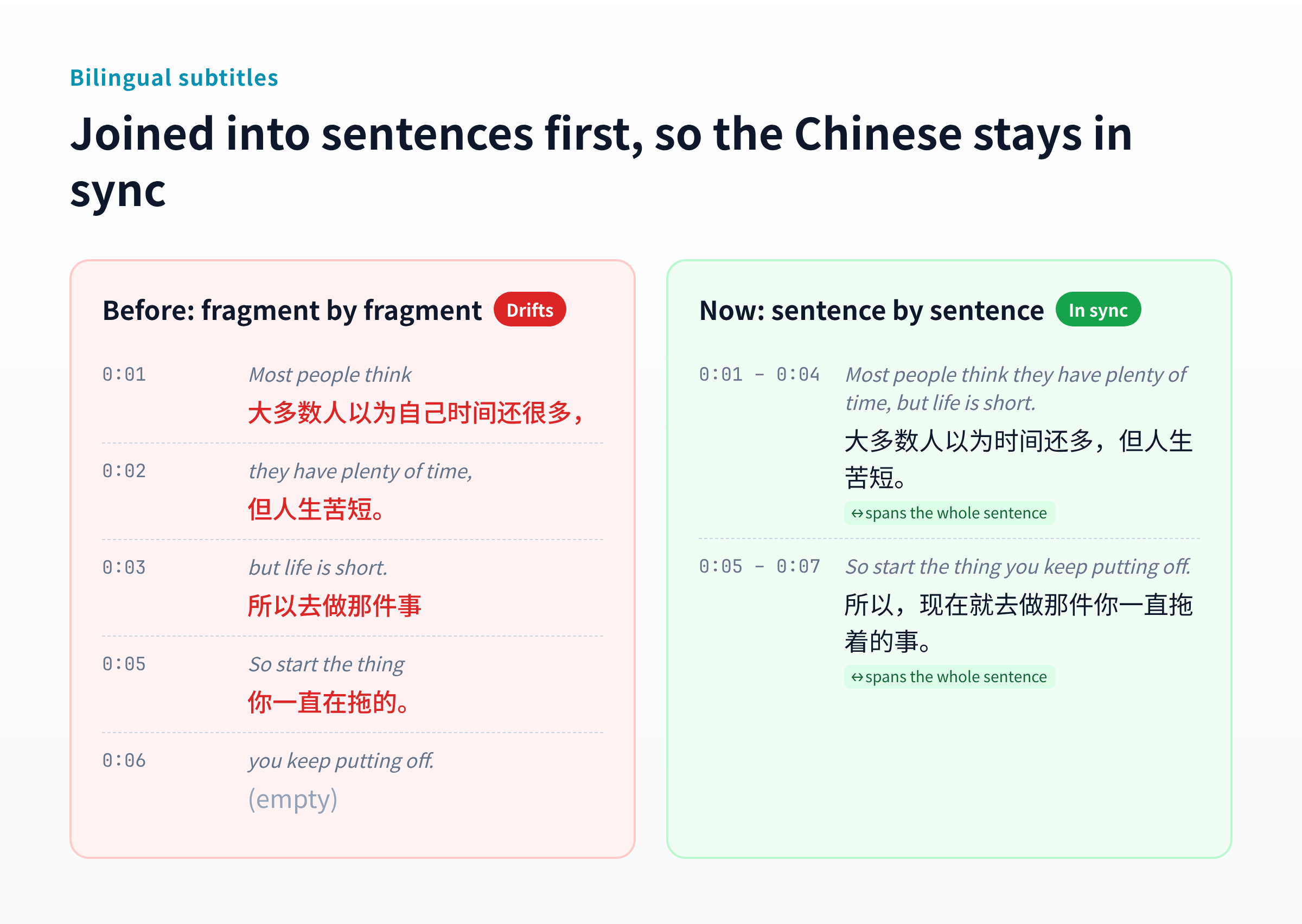
English captions are cut into short fragments, often half a sentence each. Translating fragment by fragment sometimes shifted the Chinese onto neighbouring lines, and on long videos it drifted further and further. Now:
- Fragments are joined into whole sentences before translating, so each Chinese line matches its English sentence and spans its full time
- Videos with no speech (just visuals and music) no longer show “Subtitle processing failed”
👀 The transcript follows playback
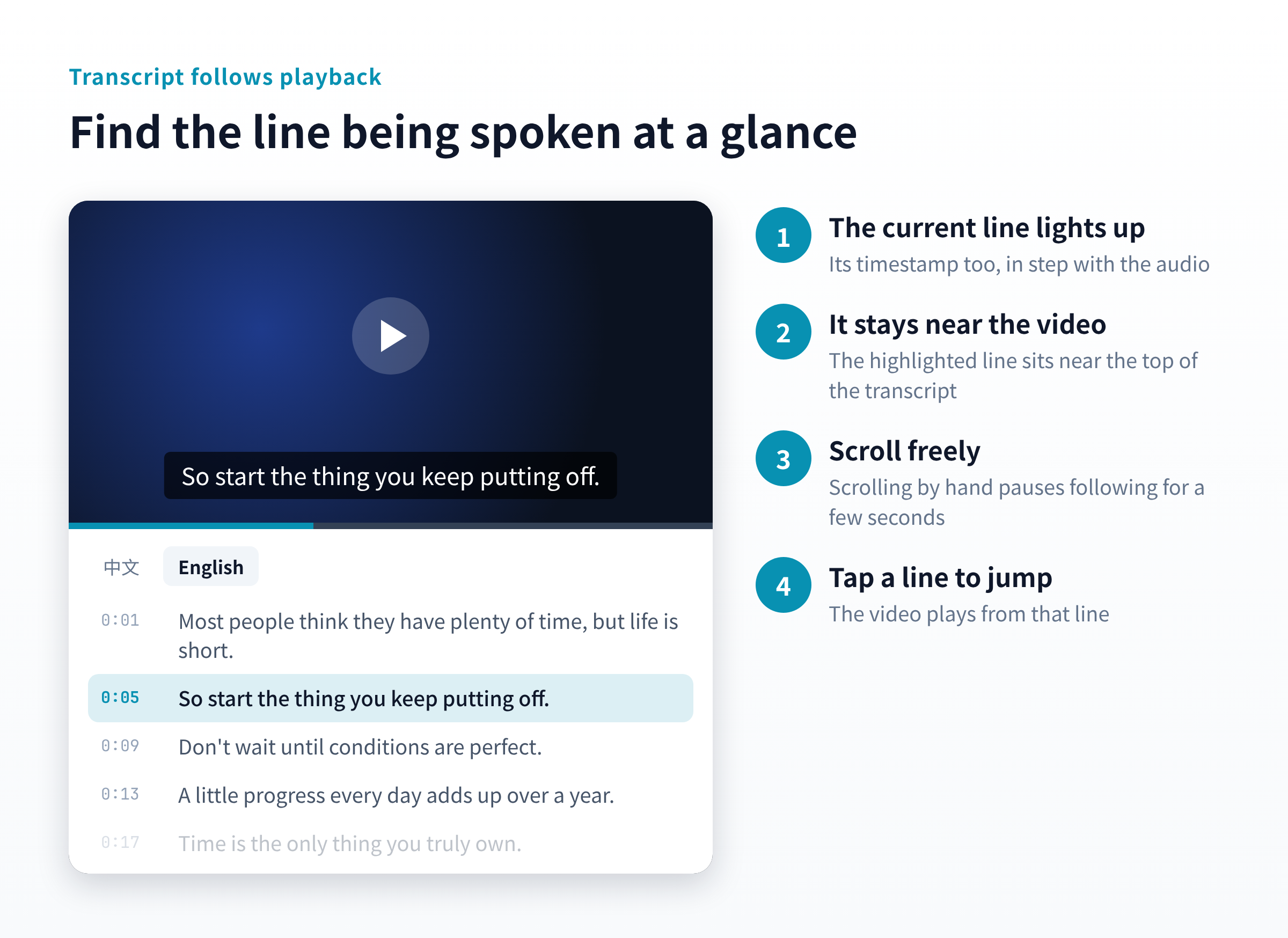
Open the transcript under a video and:
- The line being spoken is highlighted, timestamp included
- It scrolls on its own, keeping that line near the top, close to the video
- Scroll freely: when you scroll by hand, it stops following for a few seconds instead of pulling you back
- Tap any line to jump the video there
🔧 One more fix
Some posts published through the API showed a literal \n\n in the text instead of line breaks. New posts now convert these into real line breaks. For posts already published, ask your AI assistant to call update_post with just the post ID and it’s fixed.
💬 To the community
More and more of the best content out there is video. We hope this makes sharing good videos easier, and makes them easier to follow for friends who’d rather not rely on English audio. If anything feels off, let us know.
These updates are live on Web, iOS and Android, no app update needed.
Pickful Team
10.20
Repost this post?
Share with your followers.
Reply