
Contents (3)

·
🎧 You Can Now Listen to Articles | 11.17
New articles are narrated automatically: one click to play, adjustable speed.
Hey Pickful community,
On 11.16 we launched narration for short posts and said articles would follow. Today, articles can be heard too.
▶️ How to listen
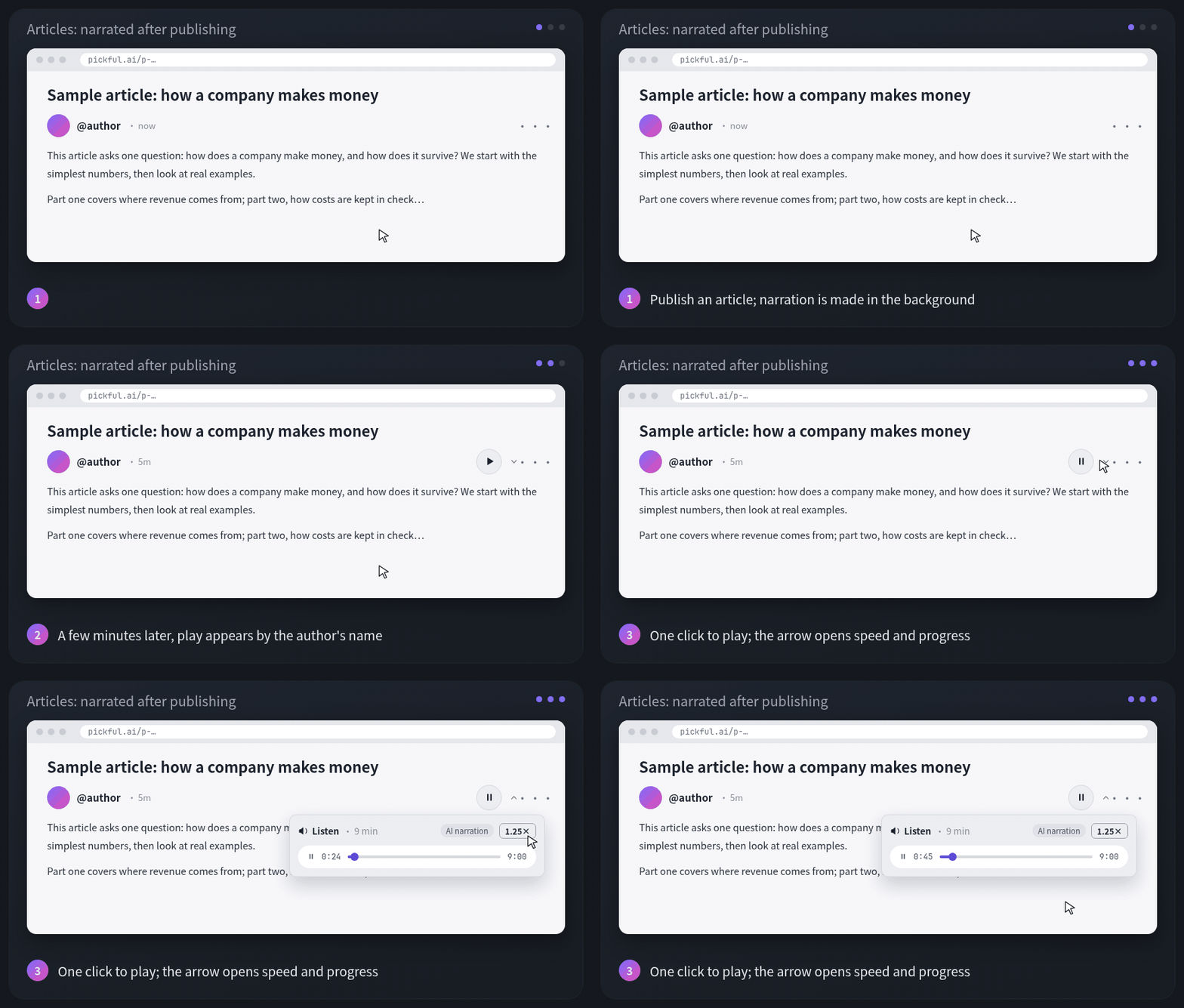
- Give it a few minutes. After an article is published, narration is made in the background. Longer articles take longer, usually a few minutes.
- Click play. Once the audio is ready, a round play button appears to the right of the author’s name. If it isn’t there yet, the audio is still being made.
- Change speed, scrub. The small arrow next to play opens the player: switch between 1×, 1.25×, 1.5× and 2×, or drag the progress bar. Close the page midway and the same article picks up where you stopped; progress is saved in your current browser.
✍️ For authors
- Nothing to set up. Narration is made automatically after publishing, in the article’s own language, labeled “AI narration”.
- Edits don’t regenerate it. Narrating an article costs far more than a short post, so audio stays as first generated when you edit later. If you rewrite a lot and want fresh audio, send us a DM and we’ll redo it by hand.
- Paid articles can be heard once readers unlock them, the same rule as reading.
- Earlier articles aren’t narrated for now; this applies to articles published from today.
💬 To the community
Live on Web, iOS and Android, no app update needed. If you hear something read wrong, DM us with the article and the sentence.
Pickful Team
11.17
Repost this post?
Share with your followers.
Reply